Try on makeup, live.
Realistic makeup on your own face — right on your iPhone. No uploads, no account.

For iPhone with iOS 17 or later.

On your iPhone, not in the cloud.
-
Works offline
Try on makeup anywhere — even in airplane mode.
-
Your camera stays on your phone
Every frame is processed on the device and never uploaded.
-
Your photos stay yours
Saved straight to your Photos library. We never see them.
-
No account
Open the app and start. No sign-up, no email.
How? Face tracking and makeup rendering run on your iPhone’s own chip, so there’s nothing to send anywhere.

Three taps to a new look.
Point the front camera at your face.
PandaCam finds your features instantly and follows you as you move.
Tap your lips, cheeks, nose, brows or eyes.
Pick a shade, then adjust the intensity until it feels right.
Take the photo.
Makeup included, saved straight to your Photos.
Everything you’d reach for.
- Lipstick
- Blush
- Contour & Highlight
- Brows
- Eyeshadow
- Eyeliner
- Lashes
- Under-eye concealer
A whole look, one tap.
Every look previews on your own face before you pick it.
Everyday

Natural 
Evening 
Bold
Themes

Festival 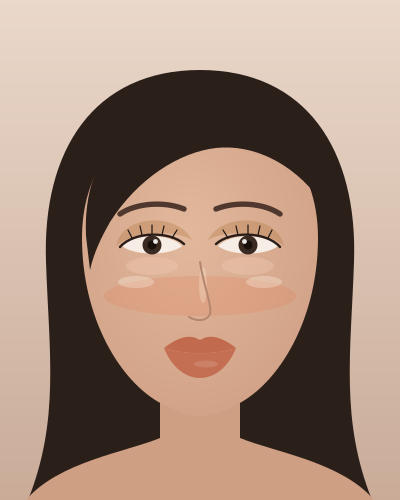
Sun-Kissed 
Doll 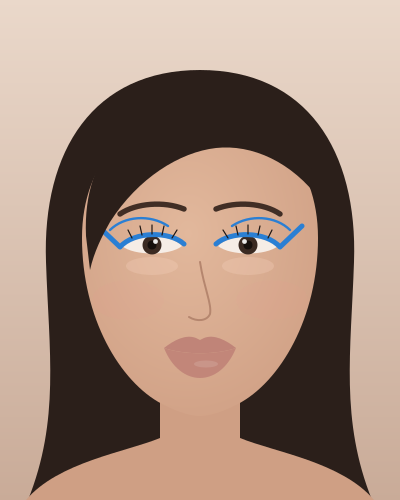
Pop Liner 
Holiday Glam 
Vampire
See the difference.
In the app, press and hold to compare with your bare face. Here, drag the slider.

The little things.
- Pinch to zoomGet close for the details.
- Self-timerStep back and frame the shot.
- FlashLight when you need it.
- Both camerasFront and back.
- Photo modeTry looks on a photo from your library.
Simple and honest.
Download PandaCam from the App Store. Some looks and effects are unlocked with an in-app purchase.
- Prices vary by country — the App Store shows yours.
- Purchases are handled by Apple and tied to your Apple ID.
- No ads.
Makeup features work offline. Buying or restoring a purchase needs an internet connection.
Questions.
Does it work offline?
Yes. Face tracking and all makeup features run on your iPhone, so they work without an internet connection — even in airplane mode. Only buying or restoring a purchase needs a connection.
Are my photos uploaded?
No. Camera frames are processed on your iPhone and never leave it. Photos you take are saved to your Photos library, and photos you open in Photo mode stay in memory on the device. Nothing is shared unless you tap Share yourself.
Do I need an account?
No. There’s no sign-up and we don’t ask for your name, email or phone number.
How do I restore my purchase?
Open PandaCam and tap “Restore Purchases” while signed in with the Apple ID you bought it with. This needs an internet connection.
Which iPhones are supported?
Any iPhone running iOS 17 or later.

Your face. Your phone.
Try on makeup live, anywhere — and keep it all on your iPhone.